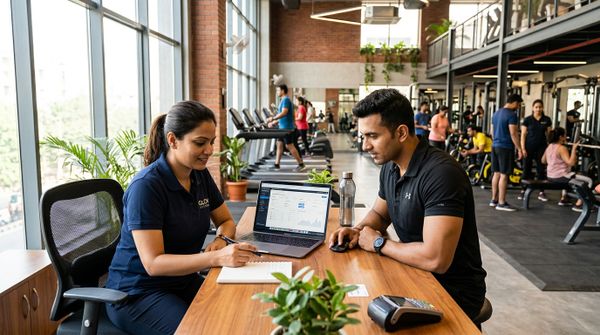
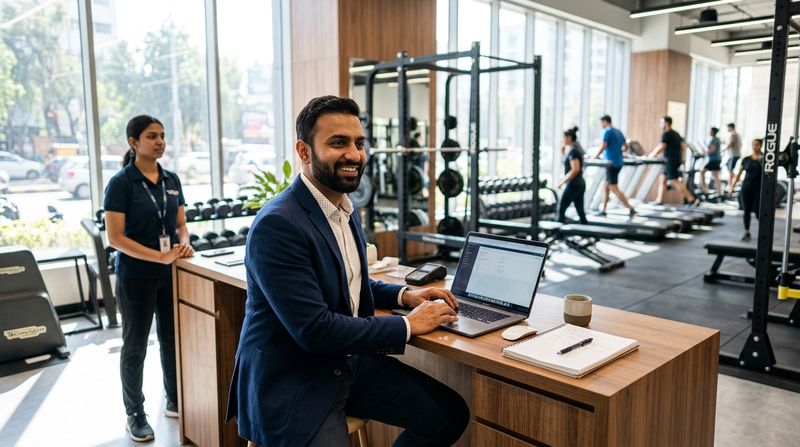

A gym software demo is your one chance to stress-test a vendor before you hand over your data, your members and your money. Walk into it with a prepared list and you will expose gaps that a polished slide deck will hide. Walk in without one and you will end up impressed by a colourful dashboard that can't generate a GST invoice or block an expired member at the door.
This checklist gives you twenty numbered questions, grouped by topic. Use it with any vendor. Every question is something you should be able to answer with a live demonstration — not a promise or a follow-up email.
Before the demo, also read the complete guide to gym management software in 2026 and the gym management software buying guide for beginners so you arrive knowing what the landscape looks like.
Members and Renewals
1. Can I see a member profile end to end?
Ask the salesperson to open a real (or demo) member record and walk through it. It should show the membership type, start and end dates, freeze history, dues, attendance and payment receipts — all on one screen. If you need to open four separate tabs to see the full picture, daily operations will be painful.
2. How does a membership freeze work, and who can approve it?
Freezes are common. The software should let you pause a membership, extend the end date by the frozen period and log who approved it. Ask whether a member can request a freeze themselves, or whether only staff can do it.
3. How does the system handle renewals and overdue members?
Watch a renewal happen live. Check whether the system tracks dues automatically, sends a reminder before expiry and flags overdue members on the dashboard. Ask what happens if a member pays late — does the new period start from the original end date or from the payment date?
Billing and GST
4. Does the software generate GST-compliant invoices with SAC codes?
From 22 September 2025, gym and fitness services attract 5% GST (charged as 2.5% CGST plus 2.5% SGST within a State, or 5% IGST between States) under SAC 999723, as notified by the GST Council. Ask the vendor to generate an invoice live and confirm that CGST, SGST and the SAC code appear correctly. Also ask whether you can issue a simple receipt without tax if your turnover is below the registration threshold — confirm the current threshold with a chartered accountant. For a plain-language primer, see the guide to GST for gyms in India.
5. Can I export data for GSTR-1 filing?
If you are GST-registered, you need to file returns. Ask whether the software exports a GSTR-1-compatible file and in what format. Manually re-entering invoice data into the GST portal every month wastes hours and invites errors.
6. What happens to billing if I am not GST-registered?
Not every gym is registered. The software should support simple invoices and receipts without tax fields, not force a GST structure on everyone.
Payments
7. Which payment methods can members use, and who bears the gateway fees?
Ask for a live payment demonstration. Members in India should be able to pay by UPI, cards and netbanking. Clarify whose payment gateway account the money flows into — your own account, or a pooled account the vendor controls. Also ask clearly whether the software vendor charges any fee on top of the gateway's own charges: some do, some do not.
8. Can members renew and pay without calling or visiting the gym?
Watch a member self-renewal. Members should be able to pay through a member portal, a member app or a payment link — whichever suits them. If every renewal requires a staff member to be present, your front desk will become a bottleneck.
9. Does the system support recurring or automatic payments?
Understand exactly what the vendor means by "auto-pay". Ask whether members enrol in a mandate themselves, whether it requires a specific bank or UPI handle, and what happens when a payment fails. The answer will tell you how much manual follow-up you will still need to do.
Attendance and Biometric Devices
10. Which biometric devices are compatible, and what does "compatible" mean in practice?
Ask for a list of supported makes and models. Then ask what "support" actually covers: does the software sync membership validity to the device? Can the device block an expired member automatically on supported firmware? Ask them to show you the sync happening, or at least show you the device compatibility list. For gyms considering hardware, the biometric attendance guide explains what to look for before you buy.
11. Can members check in with a QR code if I don't have a biometric device?
QR check-in is a low-cost alternative that works on any smartphone. If the vendor supports it, ask how the member accesses the QR code (a member app, a printed card) and how the gym sees the check-in log in real time.
Classes and Personal Training
12. How do class capacity limits and waitlists work?
Ask the vendor to set a class capacity limit and then try to book a place once the class is full. A mature system will put the member on a waitlist and move the first person in automatically when a spot opens. Ask whether you can turn the waitlist on or off per class.
13. What happens when a member cancels late or doesn't show up?
There should be a configurable cancellation window per class. Ask whether the system can automatically deduct a class credit for a late cancellation or a no-show, so the policy enforces itself without a staff conversation every time. For more on managing classes efficiently, see the complete guide to class scheduling with MyGymDesk.
14. How are personal training packages tracked, and how are trainer commissions calculated?
Ask the vendor to open a PT package and show the session count, the validity date and the commission record for the trainer. Commissions that require manual calculation at the end of the month are a common source of errors and disputes. The system should calculate each commission automatically when a session is logged.
WhatsApp Automation
15. Which WhatsApp messages are sent automatically, and on which plan?
Automatic reminders for dues, renewals and class bookings are table stakes — but ask which plan they are included in and whether the messages go from the vendor's number or your gym's own number. A message from an unfamiliar number gets ignored far more often. Also ask whether you can run broadcast campaigns to opted-in members. For context on what good WhatsApp automation looks like for a gym, see WhatsApp automation for gyms: a complete guide.
Staff Permissions and Branches
16. Can I restrict what each staff role can see and do?
Ask the vendor to show you a staff login that is limited to, say, front-desk check-in and member renewals — without access to financial reports or the ability to delete records. Role-based permissions prevent accidental data loss and deliberate misuse.
17. If I have more than one branch, can staff be locked to their own location?
Multi-branch gyms need staff at Branch A to be unable to see or edit data at Branch B. Ask whether the software enforces this automatically or whether it relies on staff self-policing. Also ask whether you, the owner, get a single dashboard that shows all branches side by side. If you are running or planning a chain, the franchise management software page is worth reviewing separately.
Data Export and Import
18. Can I import my existing members from a spreadsheet?
Switching software is painful if you have to re-enter hundreds of members by hand. Ask whether the vendor accepts a CSV import for member profiles, membership details and PT packages, and whether they will help with the mapping during onboarding.
19. Can I export my own data at any time, in a usable format?
Your data is yours. Ask the vendor to show you an export — member list, payment history, attendance log — as a CSV or Excel file that you can open without their software. If they can only export to a proprietary format, or if export requires a support request, treat that as a significant risk.
Support and Onboarding
20. What does support look like after I sign up, and what are the response times?
Ask for the support channels (email, phone, ticket), the hours they operate, and what the committed response time is. Ask whether there is an onboarding session included or whether you are left to read documentation. If you are considering a larger deployment, ask whether a dedicated customer success contact is available. For a broader view of what to expect, see what customer support should you expect from gym software companies.
Pricing and Contract Terms
It is worth asking two more questions about commercial terms before you finish the demo — these are not numbered above but are equally important.
Ask for the full pricing breakdown, in writing. Request the plan prices, any add-on costs, setup fees (some vendors charge them; some do not), and whether pricing changes at renewal. A vendor confident in their pricing will send this before you ask twice.
Ask about the contract length and exit terms. Some vendors lock you into annual contracts with no exit clause. Ask whether you can export your data and leave if the software doesn't work for your gym, and how much notice is required. The post how easy is it to switch gym management software covers what switching actually involves.
How to Use This Checklist in the Demo
Print or open this list before the call. As the vendor walks through the demo, tick each item you see demonstrated live. Flag anything they cannot show you and note their answer. After the demo, score each section and compare across vendors before you decide.
| Group | Questions | Key risk if skipped |
|---|---|---|
| Members & renewals | 1–3 | Manual tracking, missed renewals |
| Billing & GST | 4–6 | Wrong invoices, filing errors |
| Payments | 7–9 | Cash dependency, fee surprises |
| Attendance & biometrics | 10–11 | Expired members walking in |
| Classes & PT | 12–14 | Overbooking, commission disputes |
| 15 | Members ignoring reminders | |
| Staff & branches | 16–17 | Data leaks, no cross-branch view |
| Data import/export | 18–19 | Painful switch-in, lock-in risk |
| Support & onboarding | 20 | Slow help when things go wrong |
| Pricing & contract | — | Hidden costs, exit traps |
FAQs
What is the most important question to ask in a gym software demo?
Ask the vendor to demonstrate GST invoice generation live. An invoice with the correct SAC code, CGST and SGST split is a minimum legal requirement for GST-registered gyms, and many vendors cannot show it working in real time.
How do I know if a gym software vendor's payment integration is trustworthy?
Ask whose payment gateway account the money settles into. If the money goes into your own verified merchant account (such as your own Razorpay account), you control your funds. If it goes into a vendor-controlled pool, ask how and when it is transferred to you.
Should I ask about data export before signing up?
Yes — always. Ask the vendor to show you a live export of member data and payment history as a CSV or Excel file. If you cannot get your own data out easily, you are effectively locked in for as long as you use their software.
How long should a gym software demo take?
A thorough demo covering members, billing, payments, attendance, classes, WhatsApp and staff permissions typically takes sixty to ninety minutes. Anything shorter usually means the vendor is skipping the difficult questions. Book enough time and bring this checklist.
What should I do if a vendor can't answer a question during the demo?
Note the question and ask for a written answer within one business day. If they cannot answer billing, GST or data export questions in that time, take it as a signal about the depth of the product and the quality of the support you will receive after you sign.
How MyGymDesk Helps
MyGymDesk's gym management software covers every area in this checklist — member profiles, GST invoices with SAC codes and GSTR-1 export, UPI and card payments through your own Razorpay account, compatible eSSL and ZKTeco biometric devices, class waitlists, automatic PT commissions, WhatsApp reminders on your own number, role-based staff permissions, multi-branch dashboards and CSV import and export. Support is available by email, ticket and phone on every plan, with a response within two business hours (Monday to Saturday, 10:00 to 19:00 IST), and no setup fee. You can book a demo or start a free trial — no credit card required.