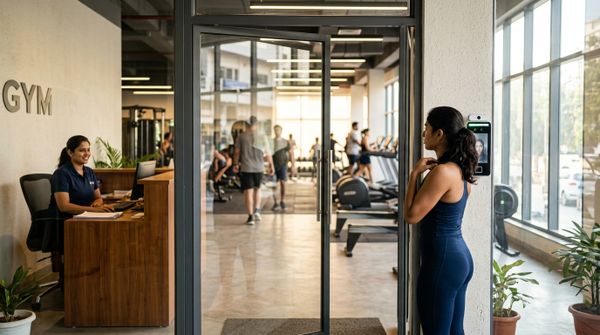
From any gym software company, expect more than one way to reach a person (email, ticket and phone, sometimes chat), a written response time counted in business hours in IST, and real help during onboarding. "24/7" on a website usually describes an automated reply or a ticket form that accepts requests at any hour, while people work set hours. Check all of it during any vendor's free trial, before your members depend on it.
A demo won't show you support, so test it before you pay. When the fingerprint machine stops letting members in, or the evening's UPI payments don't match the software, the speed and quality of the reply is what you are paying for.
Support is one line in a bigger buying decision, which our buying guide for gym management software covers in full. This post stays on support: channels, response times, crisis calls, a trial test and an SLA checklist you can send any vendor.
Which support channels should gym software offer?
Gym software should offer email, a ticket system and phone at the least, because each suits a different kind of problem. Chat is a useful extra for quick how-to questions, as long as a person can take over when the bot can't help.
| Channel | Best for | Ask about |
|---|---|---|
| Phone | Urgent problems at the desk, such as members unable to check in | Hours in IST, and whether the person answering can fix things or only log them |
| Ticket | Problems that need investigation, screenshots and a written record | Ticket numbers, status updates without chasing, and who owns the ticket |
| Billing questions, files and non-urgent how-to questions | Which inbox it lands in and how fast someone reads it | |
| Chat | Quick questions, such as how to freeze a membership | Whether a person takes over when the bot goes in circles |
Raise a ticket for anything touching money or check-ins, so the member's name, payment ID and time are on record when you chase it. Phone calls are fast but leave nothing behind, so after any important call, ask for a ticket number or send a two-line email of what was agreed.
If your desk staff will make the calls, also ask whether support can speak Hindi or your regional language.
What response times are realistic, and what does 24/7 mean?
A realistic promise is a first human reply within a few business hours for normal questions, and faster for anything that stops the gym working. "24/7" describes when you can submit a request, which is rarely when a person works on it.
Two measures get mixed up. First response time is how long until a person replies; an automatic "we got your ticket" email doesn't count. Resolution time is how long until the problem is fixed. Ask for both, and ask which problems, such as members unable to check in, get worked on first.
Check the hours behind any promise. "Within four business hours" from a vendor that works weekdays only means a ticket raised on Friday evening can wait until Monday, through your busiest Saturday batches. Get Saturday hours and the holiday list in writing.
When a vendor says "24/7", ask exactly what happens to a ticket raised at 11 p.m. on a weeknight. Common answers include an AI or bot reply, a form that accepts tickets at any hour, or an emergency line kept for outages. Each is useful as long as you know which one you are getting.
Onboarding help belongs in the same conversation. Ask who imports your member data, who helps connect biometric devices and the payment gateway, and whether someone trains your staff. Pair whatever the vendor offers with your own staff training plan.
Who do you call when something breaks mid-shift?
Call the software vendor for problems inside the software, but first rule out the ones that belong to someone else: the device supplier, your internet provider or your payment gateway. A short crisis plan at the desk saves the first twenty minutes.
Biometric down during the morning batch
- Keep members moving. Check them in by hand, or by QR code if your gym has one, and write the names on a sheet.
- Check the basics: power, the network cable or Wi-Fi, and whether the device shows the right date and time.
- If only one member is refused, check their membership end date and dues before calling anyone.
- If the device won't power on or read fingers or faces, call the device supplier.
- If the device works but check-ins or membership changes aren't reaching it, raise a ticket with the software vendor. Include the device model, a photo of its screen and the time the problem started.
If you are still choosing a device, check the list of supported biometric machines before you buy.
Payments not reconciling
- Start with the payment gateway's dashboard. Its records show what was actually paid, whatever the software says.
- Compare three lists for the day: gateway payments, payments recorded in the software, and the desk's cash and UPI entries.
- Look for the usual causes: a payment that succeeded but still shows as due, a member who paid twice, cash recorded as UPI, or a UPI payment to the gym's QR code that nobody entered.
- Send support the member's name, the gateway's payment ID, the amount, the time and screenshots of both screens.
Our post on payment processing in gym software explains whose account the money settles into and what to reconcile each day.
How do you test support during a free trial?
Raise real questions through every channel during the trial, and record how fast and how well each is answered.
- Send a simple how-to question by ticket on a weekday morning, such as how to freeze a membership.
- Email a harder one, such as how to move a member's remaining PT sessions to a different trainer.
- Call the phone line on a weekday afternoon and again on a Saturday.
- Raise one ticket late at night and note what comes back, and when.
- Ask for help importing a sample CSV of ten dummy members laid out like your real sheet.
- Note who answers: someone who understands gyms, or someone reading a script.
Example: a trial support scorecard (illustrative)
| Test | Channel | Sent | First human reply | Solved? |
|---|---|---|---|---|
| Freeze a membership | Ticket | Tuesday 11:00 | 40 minutes | Yes |
| Move PT sessions to another trainer | Wednesday 15:30 | Next morning | Yes, with screenshots | |
| Check-ins not reaching the device | Phone | Saturday 17:00 | On the call | Partly, ticket raised |
| Import a sample CSV | Ticket | Thursday 12:00 | 2 hours | Yes |
| Late-night question | Ticket | Friday 22:30 | Automatic reply at once, a person next morning | Yes |
The results are invented to show the format. Score your own trial the same way, and compare vendors on what actually happened rather than on what the sales call promised.
What should a support SLA checklist include?
An SLA (service level agreement) is the vendor's written promise on channels, hours and response times, and you should have it before you pay. Use this checklist with every vendor you shortlist.
| Item | Question to ask | A good answer |
|---|---|---|
| Channels | Which channels come with my plan? | Email, ticket and phone, listed per plan |
| Hours | What are your support hours in IST, and which days? | Exact hours and days, including Saturday, plus the holiday list |
| First response | How soon does a person reply? | A number of business hours, in writing |
| Out of hours | What happens to a ticket raised at night? | An immediate reply and a clear time a person picks it up |
| Urgent issues | How do you handle members unable to check in, or failed payments? | A priority that jumps the queue |
| Onboarding | Who helps with data import, devices and staff training? | Named steps and a named contact |
| Escalation | Who do I contact if a ticket stalls? | A named manager or customer success contact |
| Language | Can my staff speak to support in Hindi? | A clear yes or no |
| Leaving | How would I take my member data with me if I left, and in what format? | A specific answer, given before you sign up |
Our top pick is MyGymDesk, which publishes its support promise: email, ticket and phone support on every plan, an AI reply to tickets around the clock, and a person replying to tickets within 2 business hours (Monday to Saturday, 10:00 to 19:00 IST).
FAQs
Does gym software come with 24/7 support?
Gym software advertised as 24/7 accepts support requests around the clock, with an automatic or AI reply, while people answer in set business hours. Ask the vendor when a person reads a ticket raised at night, and which problems, if any, get an out-of-hours phone line.
How fast should gym software support respond?
Gym software support should give a first human reply within a few business hours for normal questions, and faster for problems that stop members checking in or payments going through. The promise should be written as a number of business hours in IST, with the days of the week it covers.
What should a gym owner put in a support ticket?
A useful support ticket names the gym and branch, the staff login involved, the member, what happened and when, and what you expected, with screenshots. For payment problems, add the gateway's payment ID and the amount; for biometric problems, add the device model and a photo of its screen.
Who should you call if gym biometric check-in stops working?
Call the device supplier if the biometric device won't power on, read fingers or faces, or connect to the network. Call the gym software vendor if the device works but check-ins or membership changes aren't reaching it. Either way, check members in by hand first so the morning batch keeps moving.
How MyGymDesk helps
MyGymDesk's Enterprise plan adds a dedicated customer success manager for onboarding, training and handholding. See what else the gym management software covers, and hold its support to the checklist above. Start a free trial with no credit card required, or book a demo if you'd rather talk to us first.