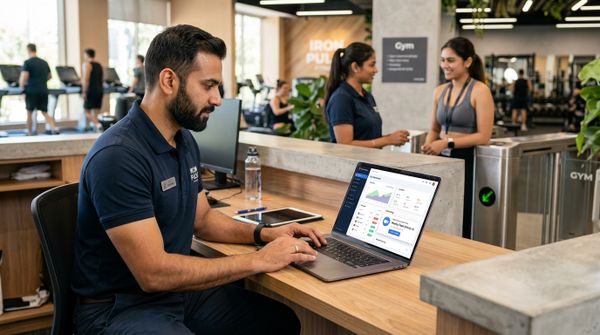
Free gym management software costs nothing to start, but it usually caps the things a growing gym needs: active members, staff logins, branches, online payments or automatic WhatsApp reminders. Paid software charges a monthly or yearly fee and in return lifts those caps, adds support and runs billing, renewals and attendance in one system. The practical difference is who does the work. With free tools, your front desk does much of it by hand. With paid software, more of it happens automatically.
That work has a price even when the software is free. It shows up as evenings spent sending reminders one by one, UPI screenshots matched to the wrong member, and renewals that quietly lapse after a busy season because nobody followed up.
The four kinds of "free" come first, then who pays the hidden cost, a one-year worked example, when free is enough, and a checklist for free trials.
What does "free" mean in gym management software?
"Free" covers four different arrangements, and each has its own catch. Knowing which one you are looking at tells you what to check before you enter a single member.
Free tiers with caps
A free tier is a no-cost plan with no end date and a ceiling built in. The ceiling might be a fixed number of active members, a single staff login, one branch, or no online payments and no automatic messages. Vendors set the cap where a growing gym will hit it, so plan for the day you cross it: what the next plan costs, and whether your data moves across untouched.
Free trials
A free trial is the full paid product for a short window, after which you pay or stop. It is a test, not a plan, and the checklist further down shows how to run one properly.
Open-source and self-hosted software
Open-source gym software is free to download, but someone has to host it on a server, take backups, apply updates and fix it when the check-in screen freezes at 6 a.m. In many single-gym setups that someone is a nephew who is good with computers, or a freelancer paid by the job. Count their time and the monthly server bill as part of the price.
Free tools stitched together
The most common "free system" in Indian gyms is not gym software at all. It is a register at the desk, a spreadsheet, the owner's personal WhatsApp and a UPI QR code stuck to the counter. That setup holds while the gym is small and the owner is present every day. We compared it in detail in gym management software vs spreadsheets, so this post sticks to free and paid software.
Who pays the hidden cost of free gym software?
You do, in staff time, in leakage and in tools you add yourself. Leakage here means money the gym is owed but never collects, such as a renewal nobody chased.
Staff time at the front desk
Free tools rarely send anything on their own. Someone at the desk scrolls the list each morning, works out whose membership ends this week and messages each member from a phone. During the evening rush, that job is the first to be skipped. Ask any free option one question: what happens automatically on the day a membership ends?
Getting your data out
Some free plans make it easy to add members and awkward to take them out. Before you enter anyone, ask how you would get members, memberships with end dates, dues and payment history out again if you left. Without a clear answer, you may end up retyping everything when you outgrow the tool.
Support when something breaks
Free software tends to come with a community forum or an email inbox answered when someone gets to it. That is fine for a question about a report. It is not fine when the biometric device stops letting members in, or a member insists they paid and you can't find the payment. Ask whether you can reach a person by phone, ticket or email, and in which hours.
Payments and WhatsApp you bolt on yourself
A free tool that only stores members leaves you to collect money through a separate payment gateway or UPI app, send reminders from the owner's phone and make invoices somewhere else. Each piece works on its own. The trouble sits between them: the payment in one place, the member record in another and the invoice in a third, matched by hand at month end. The payment gateway charges its own fee either way, so a free tool saves you the software fee and nothing on payment costs.
Example: a year of free tools against a paid plan
The figures in this example are illustrative. They describe an imaginary single gym with about 250 active members, a morning and an evening batch, and one front desk person per shift. Swap in your gym's real figures before you decide anything.
| Weekly desk task (illustrative) | Free tools plus workarounds | Paid software with automation |
|---|---|---|
| Fee and renewal reminders sent one by one | 4 hours | 30 minutes checking the automatic ones |
| Matching UPI, card and cash payments to members | 3 hours | 1 hour |
| Making invoices and receipts | 2 hours | 30 minutes |
| Updating attendance and expiry lists | 2 hours | 30 minutes |
| Total per week | 11 hours | 2.5 hours |
Over 52 weeks that is about 570 hours on free tools against 130 on paid software, a gap of roughly 440 hours. At an illustrative desk cost of ₹100 an hour, the gym spends about ₹44,000 a year of staff time on work that software could do.
In this example, leakage is the bigger number.
| Leakage source (illustrative) | Free tools plus workarounds | Paid software with automation |
|---|---|---|
| Renewals lost each month because no one reminded the member | 3 | 1 |
| Value of one lost renewal (one month's fee) | ₹1,500 | ₹1,500 |
| Dues forgotten and written off each month | ₹3,000 | ₹1,000 |
| Leakage per year | ₹90,000 | ₹30,000 |
Put together, the illustrative gym saves about ₹44,000 in staff time and ₹60,000 in leakage, a little over ₹1 lakh a year. A paid plan earns its place when its yearly price sits well below that total. Take the real price of the plan you would need from the vendor's pricing page, not a guess.
To work out your own version:
- Time one normal week of desk work on reminders, payment matching, receipts and expiry lists.
- List every membership that ended last month and count how many renewed within a week.
- Add up dues older than 30 days and decide honestly how many you expect to collect.
- Put your totals into the gym ROI calculator and compare them with the plan price.
When is free gym software genuinely fine?
Free is genuinely fine for a solo personal trainer with a handful of clients, one location, no staff and no GST registration. You see every client yourself, you know who has paid, and a reminder is a single message sent between sessions. Paying for software in that situation buys you very little.
It stops being fine once the business depends on people other than you. Watch for these signals:
- You hire a front desk person or a second trainer, and each needs a separate login with limited access.
- You can no longer say from memory who is due this week.
- You start batches or group classes with a fixed number of places.
- Members ask for proper receipts, or a company wants a GST invoice for a corporate tie-up.
- Your turnover crosses the GST registration threshold, which is ₹20 lakh aggregate turnover (₹10 lakh in special category States) according to CBIC and the GST Council. Since 22 September 2025, gym services attract 5% GST without input tax credit under SAC 999723, on proper tax invoices. Confirm registration and invoicing with your CA.
- You add biometric access or a second branch.
- Renewals after Diwali or the New Year rush pile up faster than the desk can follow up.
Two or three of these at once is the point where the hand work around a free tool costs more than a paid plan.
How do you use a free trial properly?
Use a free trial on real work, not on demo data. A trial that only shows you tidy screens tells you nothing about Monday morning at the desk. Before you start, read the red flags and vendor questions in our buying guide, and check typical costs in our gym software price comparison for India.
Trials are short, so plan yours before you press start:
- Prepare a CSV of one real batch of members, with memberships and end dates, before day one.
- Import it on the first day. If the import fights your file, you have learnt something important.
- Run a real renewal from start to finish, including the receipt or GST invoice.
- Send yourself a payment link and pay it by UPI. Check whose account the money settles into and how quickly the payment shows against the member.
- Turn on automatic reminders and look at exactly what a member receives on WhatsApp.
- Check in through the QR code or a biometric device, and see what happens when a member's plan has expired.
- Create a front desk login and confirm what that person can and can't see or change.
- Ask support a real question by phone or ticket, and note how long a person takes to reply.
- Ask the vendor how you would take your member data with you if you left.
If the import or the UPI test fails, send support the file or the payment ID that day.
Our top pick to shortlist is MyGymDesk, which keeps members, memberships, GST invoices, WhatsApp reminders and attendance in one system and publishes every plan's price on the pricing page.
FAQs
Is free gym management software good enough for a small gym?
Free gym management software is good enough for a solo trainer or a very small gym where the owner sees every member and collects every fee in person. Once you hire desk staff, run batches with fixed places or need GST invoices, the manual work around a free tool tends to cost more than a paid plan.
Can gym software save money through automation?
Gym software saves money through automation in two ways: fewer staff hours on reminders, receipts and payment matching, and less leakage from missed renewals and forgotten dues. To see the saving for your gym, time one normal week of desk work, total last month's unrenewed memberships and unpaid dues, and compare that with a paid plan's yearly price.
How long is the MyGymDesk free trial?
The MyGymDesk free trial runs for 7 days in India and 14 days elsewhere, with no credit card required and no setup fee. MyGymDesk publishes every plan's price and features on its pricing page, so you can check the cost of the plan your gym would need before the trial ends.
How MyGymDesk helps
Our gym management software keeps member profiles, memberships, renewals and dues tracking in one place, sends automatic WhatsApp reminders for fees due and renewals, and lets members pay by UPI, cards or netbanking through your gym's own Razorpay account. Start the free trial, 7 days in India with no credit card required, or book a demo if you would like a walkthrough first.