
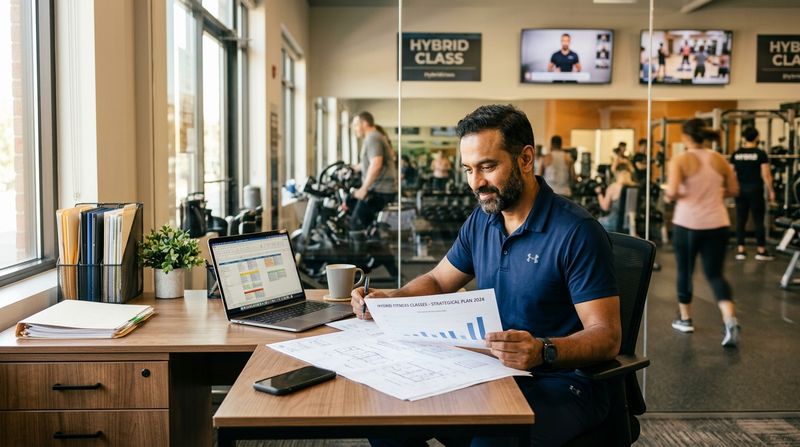

Most studios did not decide to go hybrid. They went online during a period when there was no alternative, reopened, and then found that a handful of members simply never came back to the room — not because they left, but because they had reorganised their week around joining from home.
So the online classes stayed. Not as a strategy, just as a thing that was still happening. And that is where the difficulty starts, because a hybrid timetable that nobody designed is mostly a collection of exceptions: one batch that is online on Tuesdays, a teacher who streams from home on alternate weeks, four members on a rate nobody can quite remember agreeing to.
This is about making that deliberate. What hybrid actually costs to run, which parts are worth automating, and the constraints worth designing around before you publish a timetable.
What "hybrid" means in practice
The word covers three quite different models, and studios get into trouble by drifting between them without noticing.
Separate online classes. Some slots are online, some are in the room, and they are different classes with different registers. Simplest to run. The teacher is either in the studio or at home, never both.
Simulcast. One class, taught in the room, streamed live to people at home. Attractive on paper — one teacher, two audiences — and by far the hardest to teach well. The people at home get a wide shot of a room and a teacher who cannot see them; the people in the room get a teacher periodically talking to a laptop. Doing it properly needs a second camera operator or a very disciplined setup, and most studios who try it abandon it within a term.
Online as a fallback. Classes are normally in the room, and a member who cannot attend joins online instead. This is the model most studios actually end up in, and it is the one that most deserves to be made official rather than handled by WhatsApp request.
Pick one per class and say so on the timetable. A member seeing "Tuesday 7 AM — Vinyasa (online)" knows what they are booking. "Tuesday 7 AM — Vinyasa" and a note somewhere that it is sometimes online generates a support conversation every week.
The scheduling constraints that shape the timetable
Two of these come from Zoom rather than from your software, and no booking system can remove them. They are worth knowing before you build the grid, not after.
One Zoom account hosts one meeting at a time. Zoom's documentation states that "Each Basic user and Licensed user on a Pro account is limited to hosting only 1 meeting at a time." Hosting two simultaneously needs a Business, Education or Enterprise licence — it is not a setting, and not an add-on for a Pro account. For a hybrid timetable this is the binding constraint: two online classes at 7 AM from one account means one of them does not start. Either stagger the online slots, or give each concurrently-teaching instructor their own Zoom licence.
The free Zoom tier cuts meetings at 40 minutes — including one-to-one sessions, which catches studios out on online personal training. If you are selling a 60-minute class, the host needs a paid licence.
We have written about the Zoom limits worth knowing before you sell an online class in more detail. Both belong on the whiteboard when you lay out a hybrid grid.
Where the admin cost actually lands
Studios budget for the camera and forget the calendar. The recurring cost of hybrid is almost entirely coordination:
Somebody has to know which classes are online this week. Somebody has to get the right link to the right members and nobody else. Somebody has to keep two registers — who attended in the room, who attended from home — and reconcile them against what people paid for. And somebody has to answer "is today's class online?" several times a week, because a timetable that changes shape is a timetable members stop trusting.
That last one is the real tax. Every exception you handle personally is an exception a member expects you to handle personally next time.
The fix is not effort. It is removing the steps. If the class record itself knows whether it is online, then the booking knows, the reminder knows, the register knows, and the member can see it without asking. That is the difference between hybrid being a feature of your studio and hybrid being a job.
Running both from one timetable
The version that holds up is one where online is an attribute of a session rather than a separate system.
In MyGymDesk, a class or a PT session is marked Online and everything else follows from that. The Zoom integration creates the meeting in your own Zoom account; members who booked get a Join button on their booking in the member app, active 15 minutes before the start; the WhatsApp class reminder for that session carries the same link. Move the class and the meeting moves with it. Cancel it and the meeting is removed, so there is no stale link left in a chat thread.
Three things this preserves that matter more than they sound:
One member record. The person who attends in the room on Monday and online on Thursday is the same member on the same plan, and both sessions come off the same package. You are not running a second business with a second list of names.
One register. Attendance for an online session is recorded against the same class as attendance in the room, which means your retention numbers describe reality rather than the half of it that happened on site.
One payment. No separate online pricing system to reconcile, no parallel spreadsheet.
If you would rather use Google Meet or Teams for some classes, you can paste your own link onto a session and members booked into it will see it in MyGymDesk.
Deciding what goes online
A short, opinionated take, because studios agonise over this.
Good candidates. Classes with a strong verbal component — yoga, pilates, barre, mobility, most mat work. Anything where the teacher's voice does the work and the member needs space rather than equipment. Early-morning slots, where travel time is the deciding factor for attendance. Classes with members who have moved away but stayed loyal.
Poor candidates. Anything needing spotting, correction by touch, or heavy equipment. Beginner strength, where bad form learned online is expensive to unlearn. Classes whose whole appeal is the room — the loud, communal ones.
The honest test: if you would not be comfortable with a member doing this class unsupervised in their living room, it is not a good online class.
What to measure before you expand
Give it a term, then look at three numbers.
Attendance rate on online bookings versus in-room. If online no-shows are much higher, the class is being treated as optional. That is usually a cue to charge for it properly rather than to cancel it.
Retention of members who use online classes. This is the number that justifies the whole exercise. Members who use both formats are often your stickiest — not because online is better, but because it removes the weeks where life would otherwise have broken the habit.
Teacher load. Ask the teachers. Simulcast in particular is much more tiring than either format alone, and studios discover that from a resignation rather than from a timetable review.
The quiet case for doing this properly
Hybrid is not about reaching new markets. For almost every studio, it is about not losing the members you already have during the weeks when they cannot come in — the travel month, the newborn, the injury, the monsoon, the stretch of work that eats every evening.
Those members do not announce that they are leaving. They just attend less, then stop, then their plan lapses quietly. An online option is the thing that keeps the habit alive across a bad month so there is something to come back to.
That is worth building deliberately, and it is worth building so that it runs without anybody copying a link at 6:45 in the morning.
If you are starting from scratch, the practical setup guide covers the first four weeks. If you already run online classes and the admin is the problem, recurring links and where they stop helping is the more useful read. To see how a hybrid timetable works in one system, the online classes and PT page and class scheduling cover the scheduling side — or book a demo and we will walk through your actual timetable.