
The first online class is never the hard part. A teacher opens Zoom, hits Schedule, copies the link into the class WhatsApp group, and twelve people show up. It works. It feels like the problem is solved.
The hard part arrives in week six, when the studio is running four online batches a week, two teachers are sharing one Zoom account, someone has joined the wrong meeting because they scrolled up to an old link, and a member messages at 6:58 AM asking where today's class is. Nothing has broken exactly. It has just become a job that somebody does every single morning.
This guide is about setting up online classes so that job disappears. It covers what you actually need, the Zoom limits that catch studios out in the first month, and how to get to a schedule that runs without anyone copying a link ever again.
What you actually need to start
Less than most guides suggest.
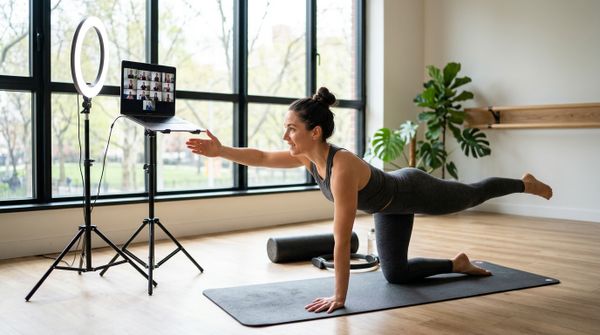
A Zoom account. Free works for trying it out, with one significant catch covered in the next section. A stable upload connection — 5 Mbps up is comfortable for one teacher on camera; run a speed test from the room you will actually teach in, not from the reception desk where the router lives. A phone or laptop on a stand at roughly hip height for mat work, so members see your whole body rather than a ceiling fan. A second device as a monitor, logged in muted, placed where you can glance at it, so you can see what your members see.
That is genuinely the list. Studios delay going online for months waiting for a lighting kit and a lapel mic. The kit improves a class that already works; it does not rescue one where the teacher cannot see the participants.
The one thing worth buying early is a wired lapel or headset microphone. Audio is the difference between a member following a cue and a member giving up. Video quality is forgiving; audio is not.
The Zoom limits that surprise studios
Two of them, and both are better known before you build a schedule than after.
The free tier stops at 40 minutes. Zoom's own documentation is blunt about it: "Almost all meetings scheduled and hosted by Basic (free) users, on Free and Paid accounts, are limited to 40 minutes." This is not only a group-class rule — it applies to one-to-one sessions on a free account too, which catches out studios who assume personal training is exempt. A 60-minute Hatha class on a free account ends at minute 40, mid-sequence, with no warning that lands in time to matter.
You can work around it — end and restart — but you will do that in front of paying members every single class. A paid Zoom licence removes the cap. That is the one purchase worth making before you sell an online membership rather than after.
One Zoom account hosts one meeting at a time. This is the limit that quietly shapes your entire timetable, and almost nobody reads it until it bites. Zoom's support documentation states that "Each Basic user and Licensed user on a Pro account is limited to hosting only 1 meeting at a time." Hosting two simultaneous meetings requires a Business, Education or Enterprise licence, where a user can host up to two at once — it is not a setting you can switch on, and it is not an add-on you can buy for a Pro account.
In practice: if your 7:00 AM Vinyasa and your 7:00 AM Pilates both run online from the same Zoom account, one of them will not start. Studios discover this the first morning two teachers try to go live together, which is the worst possible moment.
You have three honest options. Stagger online classes so two never overlap. Buy a second Zoom licence for the second teacher. Or keep one of the two in the studio and run only one online at a time. All three are fine. Discovering the constraint at 6:59 AM is not.
Scheduling: where the real work is
Here is the part that guides skip, because it is boring and it is where the ongoing cost lives.
Booking and joining are two different systems. Your members book a class somewhere — a spreadsheet, a WhatsApp group, a booking app. The meeting lives in Zoom. Nothing connects them, so a human has to carry the link across that gap, for every class, every day, forever.
That carrying is where the failures come from. The link gets pasted into last week's WhatsApp thread. A member who booked yesterday never sees today's message because the group is muted. Someone shares the link outside the group and a person who has not paid turns up. A class gets rescheduled and the old link is still sitting in the chat, three hundred messages up, waiting to be found by exactly the wrong person.
Recurring meetings solve part of this. Zoom generates one link that works for every occurrence in a series, so you are at least not creating a new one weekly. We have written separately about setting up recurring Zoom classes so the link never changes — worth reading before you schedule a term's worth of classes.
But recurring links do not solve distribution. Somebody still has to make sure the right link reaches the right members and no one else.
Removing the manual step entirely
The version that scales is the one where the link is attached to the booking rather than sent separately.
That is what the Zoom integration in MyGymDesk does. You connect your own Zoom account once through Zoom's consent screen. After that, marking a class as Online is enough — the meeting is created in your Zoom account automatically, and the members who booked that class see a Join button on their booking in the member app. The button becomes active 15 minutes before the class starts, so nobody joins an empty room half an hour early, and only members booked into that session can see it.
Three consequences worth being concrete about:
Nobody copies a link. The meeting is created with the session, so there is no step where a human moves it.
Rescheduling stays in sync. Move an online class and the Zoom meeting moves with it. Cancel it and the meeting is removed, so there is no stale link sitting in a chat thread for someone to find later.
The reminder carries the link. WhatsApp class reminders for an online session include the Join link, which means the message that says "your class is at 7" is the same message that gets them into it.
If you prefer Google Meet or Teams, or you are not ready to connect Zoom at all, you can paste your own meeting link onto a session and MyGymDesk shows it to booked members.
Your first four weeks
Week one — one class, one teacher. Pick your most reliable batch and your most comfortable teacher. Run it online once. Do not announce a full online timetable yet.
Week two — fix the audio and the frame. By now you know whether people can hear you and whether they can see your feet. Those two things account for most of the complaints. Fix them before adding classes.
Week three — add the second class, and check the clash. This is where the one-meeting-at-a-time limit shows up, along with the rest of Zoom's limits worth knowing before you sell an online class. Lay your online classes out so two never run at the same time from the same Zoom account. If you are scheduling in MyGymDesk, it warns you when a new online session overlaps another one, which is a cheaper way to learn this than a member watching you fail to start.
Week four — stop doing it by hand. If you are still copying links into WhatsApp at this point, that is now a permanent job. This is the week to connect the booking system to the meeting so it is not.
What to tell your members
Two sentences of instruction beat a two-page PDF.
Tell them where the Join button is and that it opens shortly before the class, not hours earlier. Tell them to join a couple of minutes early the first time so they can sort out audio without holding up the class. That is the whole briefing.
Everything else — camera on or off, whether you will record, how to ask a question mid-class — is a studio-culture decision, and you will make better ones after three classes than you would guess in advance.
The point of doing this properly
An online class is not a lesser version of the studio class. For a member who has moved cities, is travelling for work, or has a small child asleep in the next room, it is the difference between staying with you and quietly lapsing.
That is why the plumbing matters. A member who cannot find the link on a Tuesday will try again on Thursday. A member who cannot find it twice stops trying. The studios that keep online members are not the ones with the best lighting. They are the ones where joining takes one tap and nobody has to ask.
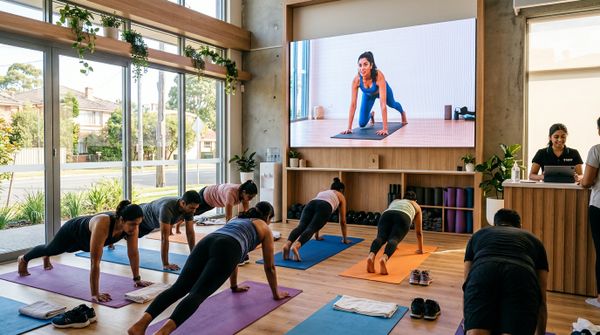
If you are weighing up running both in-person and online batches from one timetable, we have written about what running hybrid classes actually takes. And if you want to see how the scheduling side works end to end, the online classes and PT page walks through it, alongside class scheduling for the timetable itself.
Or book a demo and we will set it up against your real timetable.