
MyGymDesk Now Has More Features and Capabilities
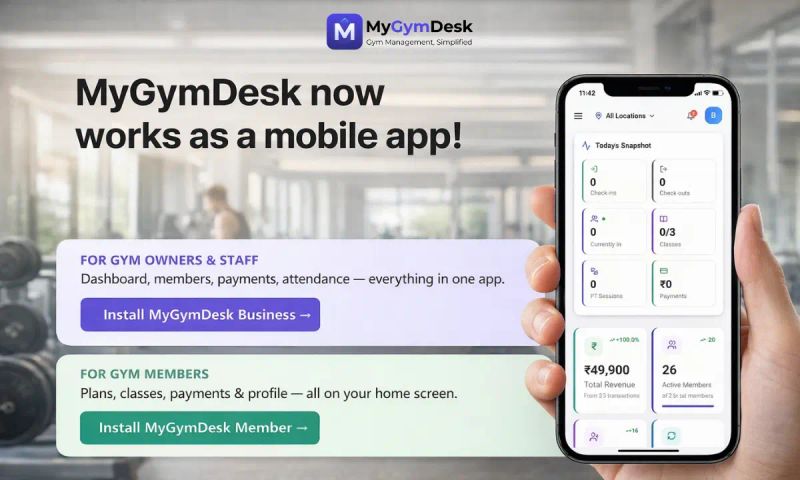
Update, 28 October 2026: MyGymDesk's apps are now on Google Play and the App Store, alongside the web app this post describes.
We've upgraded our entire platform. Here's what changed — and how to get the most out of it.
If you noticed a brief downtime recently, that was us. We were upgrading the entire MyGymDesk infrastructure to a faster, more secure, and more capable platform.
The upgrade is now complete. Your data, your members, your payments — everything is exactly where you left it. But everything underneath has changed for the better.
Here's what's new and how to take advantage of it.
What We Upgraded
Significantly Faster Performance
MyGymDesk now runs on Vercel's global edge network — the same infrastructure used by some of the world's largest web applications. What does that mean for you?
- Dashboard loads faster, especially on mobile networks
- Member lists, payment screens, and reports respond quicker
- Navigation between pages feels snappier
This is especially noticeable if you're using MyGymDesk on your phone at the gym, where network quality can be inconsistent. The platform is now optimised to handle exactly those conditions.
Stronger Security & Data Protection
Your gym's data — member information, payment records, attendance logs — is sensitive. We've added multiple layers of protection:
Cloudflare Security — Every request to MyGymDesk now passes through Cloudflare's network, which provides DDoS protection, SSL encryption, and blocks malicious traffic before it reaches your data.
Sentry Error Monitoring — If anything goes wrong in the platform, our team is alerted in real-time. We often know about issues before you do — and can fix them before they affect your day.
24/7 Uptime Monitoring — We now monitor MyGymDesk around the clock. If the platform experiences any disruption, our team is notified immediately via automated alerts.
Data Isolation — Your gym's data is architecturally isolated from every other gym on the platform. Row-level security ensures that no tenant can ever access another tenant's information — by design, not just by policy.
Production-Grade Infrastructure
Behind the scenes, we've moved from a development-grade setup to a production-ready architecture. This includes proper environment separation, automated deployments, security headers, and monitoring systems that enterprise SaaS platforms rely on.
In plain language: MyGymDesk is now built on the same kind of infrastructure that powers platforms handling thousands of businesses — because that's where we're headed.
New Feature: Install MyGymDesk on Your Phone
This is the one we're most excited about.
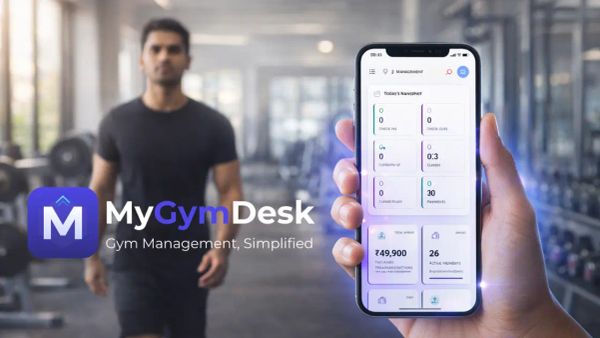
MyGymDesk is now a Progressive Web App (PWA). You can install it directly on your phone's home screen — and it works just like a native app from the Play Store.
Why This Matters
- Full-screen experience — No browser address bar, no tabs. Just MyGymDesk, clean and distraction-free
- Instant launch — Tap the icon on your home screen and you're in. No opening Chrome first
- Works with poor connectivity — The app shell loads from cache, so even with spotty gym WiFi, the interface appears instantly
- Zero storage impact — Unlike Play Store apps, a PWA barely uses any phone storage
- Always up-to-date — No manual updates to download. You always get the latest version automatically
How to Install (Takes 30 Seconds)
On Android (Chrome)
- Open Chrome on your phone
- Go to mygymdesk.in and log in
- You'll see an "Install MyGymDesk" banner at the bottom of the screen — tap Install
- If you don't see the banner, tap the three-dot menu (⋮) at the top right → "Add to Home screen"
- Done! You'll find the MyGymDesk icon on your home screen
On iPhone (Safari)
- Open Safari (not Chrome — this only works in Safari on iOS)
- Go to mygymdesk.in and log in
- Tap the Share button (the square with an arrow pointing up)
- Scroll down and tap "Add to Home Screen"
- Tap Add — the MyGymDesk icon appears on your home screen
Pro Tip for Gym Staff
Share these install instructions with your staff. When your trainers and reception team have MyGymDesk on their home screen, member check-ins, attendance marking, and payment recording become significantly faster — no more searching for the browser tab.
Your Data Is Completely Safe
We want to be very clear about this: the upgrade was infrastructure-only. Nothing about your data has changed.
- ✅ All member profiles — intact
- ✅ All payment records and receipts — intact
- ✅ All subscription and membership data — intact
- ✅ All attendance logs — intact
- ✅ Your Razorpay configuration — intact
- ✅ Your login credentials — unchanged
You don't need to re-configure anything. Just log in and continue where you left off.
What to Do Now
Step 1: Log in to mygymdesk.in — notice how much snappier it feels.
Step 2: Install MyGymDesk on your phone using the steps above.
Step 3: Share the install instructions with your gym staff — especially the reception desk and trainers.
Step 4: If anything feels off or you have questions, reach out to us at support@mygymdesk.com. We're here.
What's Coming Next
This infrastructure upgrade isn't the end — it's the beginning. Here's what we're building on top of this new foundation:
- Push notifications — Expiry reminders, payment confirmations, and class alerts directly on your phone
- Offline attendance — Mark attendance even when the WiFi drops; it syncs automatically when you're back online
- AI-powered insights — Member churn prediction, revenue forecasting, and automated engagement
- Native mobile apps — Play Store and App Store apps are on the roadmap for later this year
Every feature we build from here will be faster, more reliable, and more secure — because the foundation is now solid.
Have feedback? Found something that doesn't work right? Let us know at support@mygymdesk.com. We read every message.
MyGymDesk — India's Smart Gym Management Platform