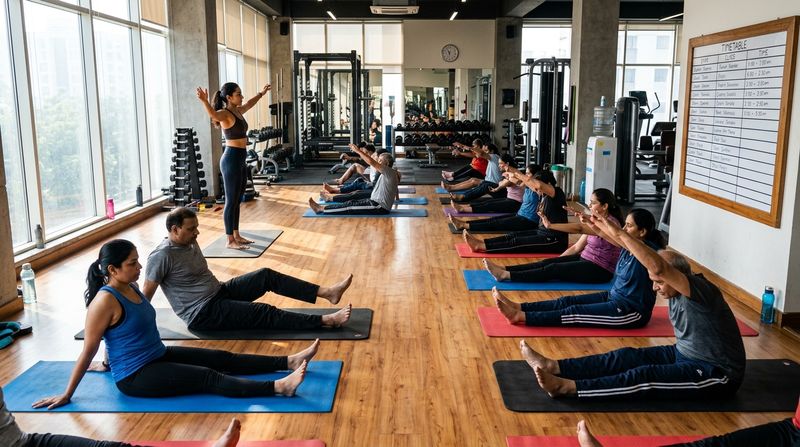
A good gym class timetable gives every batch a fixed slot, a named trainer, a participant cap and a clear rest pattern — and you review it every four to six weeks using actual attendance data. A timetable built this way reduces no-shows, stops you over-scheduling trainers and gives members enough predictability to commit to a routine.
This post gives you a copyable weekly template for morning and evening batches, explains how to assign peak and off-peak slots, covers trainer allocation and capacity, and ends with a checklist for changing a timetable without losing members.
What Are Peak and Off-Peak Slots in a Gym Timetable?
Peak slots are the times when the largest share of your members want to train. In most Indian gyms, peak hours fall in two windows: early morning (roughly 6 am to 9 am) and evening (roughly 5 pm to 8 pm). Off-peak hours are mid-morning to mid-afternoon, when the floor is quieter and mostly used by homemakers, retirees, shift workers and students with flexible schedules.
Knowing which slots are peak matters because:
- Peak classes need your most experienced trainers and your highest participant caps.
- Off-peak classes can run with a smaller cap and a junior trainer, reducing your cost without reducing quality.
- Scheduling your most popular class formats (Zumba, HIIT, yoga) in peak slots maximises revenue per square foot.
If you do not yet know which slots are peak at your gym, pull three months of attendance data. The slots that fill in the first 24 hours after you open bookings are your peak slots.
How Long Should Each Gym Class Be?
Most group fitness classes in Indian gyms run for 45 or 60 minutes. A 45-minute class fits more batches into a peak window and leaves a 15-minute changeover buffer before the next batch. A 60-minute class works well for yoga, stretching or skill-heavy formats where members need more time.
A practical rule of thumb:
- High-intensity formats (HIIT, Zumba, aerobics, circuit): 45 minutes.
- Moderate formats (yoga, Pilates, functional training): 60 minutes.
- Speciality formats (prenatal yoga, seniors, beginners): 60 minutes with a relaxed pace.
Build a 15-minute changeover into the timetable between back-to-back classes in the same space. This gives members time to leave, lets the next batch enter safely and gives the trainer a moment to reset.
How to Allocate Trainers Across Batches
Each class in your timetable needs one named trainer, not a pool. Naming a trainer:
- Builds member loyalty to that class — members come back for the trainer, not just the format.
- Makes accountability clear. If attendance drops, you know whose class to review.
- Prevents double-booking, where two classes need the same trainer at the same time.
Steps to allocate trainers:
- List all your trainers and their certified formats (Zumba, yoga, CrossFit, etc.).
- Mark each trainer's non-availability: weekly off days, any fixed PT sessions already on the calendar.
- Fill peak slots with your most experienced trainers first.
- Assign off-peak slots to junior trainers or to senior trainers with a lighter peak load.
- Keep one trainer free each day as a backup — note this in the timetable rather than scrambling when someone calls in sick.
MyGymDesk calculates class commissions automatically from each trainer's assigned classes, so a clear trainer-to-class assignment in the timetable feeds directly into accurate payouts. Read more in our guide on trainer commission tracking.
What Capacity Should You Set for Each Class?
Capacity is the maximum number of members who can book a slot. Set it based on:
- Floor space: the safe number of people for the format (yoga needs more space per person than a spin class).
- Equipment count: if a class uses resistance bands or mats, cap at the number available.
- Quality threshold: the point at which adding one more person makes the class feel crowded and coaching quality drops.
Set your cap slightly below the absolute maximum to preserve quality. A class that closes at capacity signals high demand and gives you data to add a second batch. A class that never fills signals you can repurpose that slot.
For popular classes, turn on a waitlist. When a spot opens, the first person waiting is moved in automatically — you do not need to manage this manually. This matters most for your peak-slot classes where demand outstrips capacity.
Weekly Gym Class Timetable Template (Illustrative)
The table below is illustrative. Adjust class formats, timings and trainer names to match your gym. Class lengths are shown in minutes. "Cap" is the participant limit.
The numbers and names below are for illustration only.
| Time | Monday | Tuesday | Wednesday | Thursday | Friday | Saturday | Sunday |
|---|---|---|---|---|---|---|---|
| 6:00 am | Zumba 45 min · Trainer A · Cap 20 | HIIT 45 min · Trainer B · Cap 15 | Zumba 45 min · Trainer A · Cap 20 | HIIT 45 min · Trainer B · Cap 15 | Zumba 45 min · Trainer A · Cap 20 | Zumba 45 min · Trainer A · Cap 25 | — REST — |
| 6:50 am | Yoga 60 min · Trainer C · Cap 15 | Yoga 60 min · Trainer C · Cap 15 | Yoga 60 min · Trainer C · Cap 15 | Yoga 60 min · Trainer C · Cap 15 | Yoga 60 min · Trainer C · Cap 15 | Yoga 60 min · Trainer C · Cap 20 | — REST — |
| 8:00 am | Circuit 45 min · Trainer D · Cap 12 | — | Circuit 45 min · Trainer D · Cap 12 | — | Circuit 45 min · Trainer D · Cap 12 | Circuit 45 min · Trainer D · Cap 15 | — REST — |
| 10:00 am | Pilates 60 min · Trainer E · Cap 10 | Pilates 60 min · Trainer E · Cap 10 | — | Pilates 60 min · Trainer E · Cap 10 | — | — | — REST — |
| 11:15 am | Seniors Yoga 60 min · Trainer C · Cap 10 | — | Seniors Yoga 60 min · Trainer C · Cap 10 | — | Seniors Yoga 60 min · Trainer C · Cap 10 | — | — REST — |
| 5:00 pm | HIIT 45 min · Trainer B · Cap 15 | Zumba 45 min · Trainer A · Cap 20 | HIIT 45 min · Trainer B · Cap 15 | Zumba 45 min · Trainer A · Cap 20 | HIIT 45 min · Trainer B · Cap 15 | — | — REST — |
| 5:50 pm | Yoga 60 min · Trainer C · Cap 15 | Functional 45 min · Trainer D · Cap 12 | Yoga 60 min · Trainer C · Cap 15 | Functional 45 min · Trainer D · Cap 12 | Yoga 60 min · Trainer C · Cap 15 | — | — REST — |
| 7:00 pm | Zumba 45 min · Trainer A · Cap 20 | HIIT 45 min · Trainer B · Cap 15 | Zumba 45 min · Trainer A · Cap 20 | HIIT 45 min · Trainer B · Cap 15 | Zumba 45 min · Trainer A · Cap 20 | — | — REST — |
Notes on the template:
- Sunday is a full rest day for classes; use it for trainer meetings, equipment maintenance or member events.
- Saturday has larger caps to absorb the weekend surge.
- Mid-morning slots (10 am and 11:15 am) carry smaller caps, matching expected off-peak demand.
- Every trainer has at least one non-class hour between batches during peak windows.
- Trainer B has Wednesday morning free — this is the backup slot if any peak trainer is absent.
Copy this table into a spreadsheet or a shared document, fill in your own trainer names and adjust timings to match your gym's opening hours.
How to Review Which Classes Fill Up
Reviewing fill rates every four to six weeks tells you which classes to expand, which to cut and where to run a promotional push. Here is a simple review process:
- Pull booking data for the past four weeks: class name, date, total bookings, cancellations and no-shows.
- Calculate fill rate for each class: bookings as a proportion of the cap.
- Flag consistently full classes (at or near cap most weeks) — these are candidates for a second batch or a larger venue.
- Flag consistently empty classes (a small fraction of cap most weeks) — consider dropping the class, changing the time or swapping the format.
- Check waitlist data: if a class has a long waiting list, adding a second batch at the same time on alternate days is often the fastest fix.
- Talk to the trainer: low fill rates are sometimes a programming or promotion problem, not a demand problem. Ask the trainer what members have said.
- Act and recheck: make one change at a time and run it for four weeks before judging it.
Our post on maximising attendance at gym classes goes deeper on fill-rate analysis and demand signals.
How to Fix Overbooking Before It Damages Trust
Overbooking happens when more members show up than the class can safely hold. The fix is a hard cap enforced at the point of booking, not at the door. When a class is full, members should see a waitlist option. If you are managing bookings manually through WhatsApp or a register, you will overshoot sooner or later. See our post on fixing overbooking in group classes for a step-by-step approach.
Checklist: Changing a Timetable Without Losing Members
Changing a timetable — dropping a class, shifting a time or swapping a trainer — can cause members to feel their routine has been disrupted. This checklist keeps the transition smooth.
- Announce at least two weeks in advance. Send a WhatsApp message and post a notice at the gym. Two weeks gives members time to adjust their schedule.
- Explain the reason briefly. "We are shifting the 6 am Zumba to 6:30 am to add a warm-up session before it" is more reassuring than a bare time change.
- Offer an alternative for displaced members. If you are dropping a class, name the closest equivalent — same format, a similar time — and make it easy to book.
- Move existing bookings or prompt members to rebook. Do not leave members with a booking for a class that no longer exists; cancel and notify them personally.
- Keep the trainer the same where possible. Members follow trainers. If the trainer changes along with the time, the disruption doubles.
- Run the old and new timetable in parallel for one week if your floor space allows. This lets hesitant members try the new slot before the old one disappears.
- Check fill rates for the new classes after four weeks. If a moved class has dropped in attendance, run a short promotion or WhatsApp campaign to rebuild momentum.
- Review trainer allocation after any change. Make sure no trainer is now double-booked or has an unreasonable back-to-back load.
FAQs
How many classes should a gym run per day?
The right number depends on your floor space, trainer headcount and demand. Start conservatively, fill those classes consistently and then add batches as demand grows. An empty class costs trainer time and signals poor planning to members who see it.
What is the best time for a morning gym batch in India?
The most popular morning start time is 6 am, as it fits working professionals who need to reach their offices early. A second batch at 7 am or 7:15 am captures those who cannot make the 6 am slot. If your gym is near a residential area with homemakers or retirees, a 9 am or 10 am batch often performs well as an off-peak option.
Should every class have a waitlist?
Turn on a waitlist for any class where you have seen bookings fill in under 48 hours. For classes that rarely reach half capacity, a waitlist is optional and adds little value. A waitlist signals demand clearly — if 15 people are waiting for a 20-person class every week, that is a strong signal to add a second batch rather than simply enlarging the cap.
How often should I review and update my gym class timetable?
Review fill rates every four to six weeks during stable periods and immediately after any significant change — a new trainer joining, a festive season surge or a drop in attendance. Seasonal reviews before and after the summer rush are also worth scheduling. Our post on growing group class revenue covers seasonal timetable adjustments in detail.
How do I handle trainer absences without disrupting the class timetable?
Name a backup trainer for each class format in the timetable itself. When a trainer is absent, the backup steps in without a scramble. Inform members by WhatsApp as early as possible — most will accept a substitute if told in advance. If no backup is available, cancel the class promptly and offer affected members a rebook into the next available slot.
How MyGymDesk Helps
MyGymDesk's class scheduling feature lets you build recurring classes with participant limits and waitlists, so the timetable you design above runs automatically — members book their own spot, the waitlist moves people in when a place frees up, and each class shows a trainer who earns commission automatically. The class booking software handles capacity enforcement at the point of booking, so overbooking is not possible. Start your free trial — no credit card required — or book a demo to see the timetable tools in action.